777joia on Your Phone — Browser Access Without the Queue
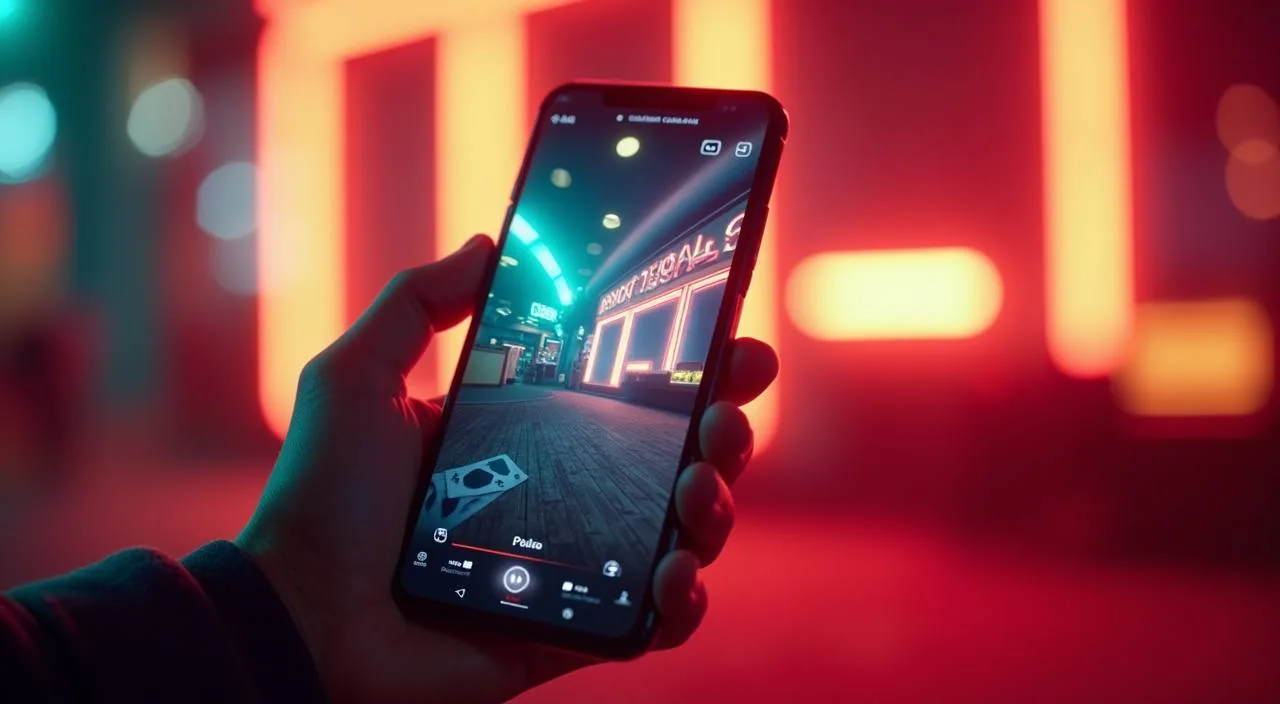
The 777joia lobby loads directly in your mobile browser — no waiting for a store listing, no file to hunt down. Open the site, sign in, and your account, games and wallet are right there on the same screen.
mobile browser access
responsive layout
account available on device
availability depends on local law and eligible regions
When you open 777joia in your phone browser, the page adjusts to your screen width automatically. The navigation bar sits at the bottom on smaller screens, making it straightforward to move between the lobby, your account page and the help section without losing your place. Game discovery works through the same category rails you would see on desktop — slots, live casino tables, crash games and sports are all reachable from the home row. Your account wallet, transaction history and profile settings load on the same domain, so there is no separate app login to manage.
BROWSER FEATURE SNAPSHOT
Mobile Page Behaviour You Can Rely On
These are the rendered behaviours you can verify the moment you open 777joia on your phone. None of these require a native install — they are part of how the site is built for mobile screens.
Responsive Navigation
The menu reflows for portrait and landscape views. Category tabs stay reachable at the bottom of the screen so you can switch between the lobby sections, your account and the help pages without scrolling back to the top each time.
Account Route on Mobile
Your sign-in page, wallet screen and transaction history are all accessible from the mobile browser session. There is no separate mobile account portal — the same account you use on desktop is the one you access here.
Game Discovery Rail
The lobby category rail on mobile shows the same game rows as desktop. You can browse Cricket Betting Live, Crash Blitz and Teen Patti Card Rush from the horizontal scroll row without needing a larger screen.
Help Page Access
Support and FAQ pages load fully in mobile browsers. If you need to check wallet guidance or account recovery steps, the help section is reachable from the footer link on every page — no app install needed to read published guidance.
THREE STEPS TO START
Mobile Access in 3 Steps
Getting into the 777joia lobby from your phone takes three steps and uses only your browser. There is no APK to locate, no app store account to link, and no file permission to approve. Start by opening your preferred mobile browser — Chrome or Firefox both render the site correctly. Type the current 777joia address into the browser bar directly; do not rely on a third-party link, because the domain is the only address we maintain.
Open the current site address
Type the 777joia domain directly into your mobile browser address bar. Confirm the URL matches before proceeding.
Check browser compatibility
Chrome, Firefox and most updated Android or iOS browsers render the full layout. If a section does not load, try refreshing or switching to Chrome.
Sign in securely
Use the sign-in button at the top of the page. Enter your registered credentials. Do not save your password in a shared device browser.
Optional home-screen shortcut
Use your browser share menu to add 777joia to your phone home screen. This creates a shortcut only — it is not a native app and carries no additional permissions.
DEVICE AND BROWSER CHECK
What Your Device Needs for Smooth Access
Most current smartphones can access the full 777joia mobile layout without any changes. The checklist below covers the common factors worth verifying before you try to load the lobby or complete an account action.
Browser version
An updated browser is the single most important requirement. Outdated browser builds can block page scripts. If parts of the lobby do not display, update Chrome or Firefox from your device's app store before contacting support.
Screen layout
The site is built for screens 360px wide and above. Phones released in the last four years fall into this range. Tablet layouts also work; the navigation shifts to a wider rail view automatically.
Account requirements
You need an active 777joia account to access the wallet and game sections. Account creation follows the steps on the registration page. Email verification is part of the published flow shown there.
Checking supported devices
The device compatibility page on 777joia lists any known browser or OS constraints we have identified. Check that page if you see a layout issue — it is updated when the site receives a structural change.
Network and data
Live casino tables and crash games use more data than static slot pages. A stable mobile data or Wi-Fi connection keeps the game session running without breaks. The site does not require a specific carrier or data plan.
HELP FOR MOBILE USERS
Where to Get Help When Access Breaks
If something in the mobile layout does not load as expected, or if you need help with your account while on a small screen, these are the published paths to follow. We do not invent support hours or channels here — use only what you can verify is live on the site.
Live Chat on Site
The chat widget appears on the 777joia homepage and is accessible from mobile browsers. Open the chat icon from the bottom of the screen. Keep your account email ready so the support team can pull up your details without delay.
Help Centre Pages
The help section at the footer of every page covers account access, wallet queries and device guidance. These pages load fully in mobile browsers. If you cannot access your account, the recovery steps are published in the account help section.
Email Support Route
For account issues that require documentation — such as a login block or a wallet discrepancy — the email support route is listed on the contact page. Submit your query with your registered account email so your case can be matched correctly.
ACCESS SAFETY CHECKS
Keeping Your Mobile Session Secure
Mobile access carries the same account security responsibilities as desktop. These four checks help you stay in control of your session and avoid common issues when using 777joia on a phone.
Verify the domain
Every time you open 777joia from a new link, confirm the address bar shows the correct 777joia domain before signing in. This single habit prevents most phishing risks. Do not proceed if the domain looks altered in any way.
Review published device guidance
The device guidance page on 777joia records any known issues with specific browser builds or OS versions. Check it when something does not render correctly — the answer is usually there before you need to contact support.
Protect account credentials
Do not save your 777joia password in a shared device browser or a third-party app not confirmed by our support team. Use your device's built-in secure storage if you want to save credentials locally. Change your password from account settings if you suspect any exposure.
Use the published recovery path
If you lose access to your account — forgotten password, email change, or a locked session — follow the recovery steps on the account help page. That page is the only route we maintain for account recovery; third-party reset tools are not connected to our system.
APP QUESTIONS ANSWERED
What People Ask About 777joia App Access
These are the questions we hear most from people checking whether 777joia works on their phone, what kind of access is available and how to sort out common access problems.
Is there a 777joia app available to download from the Google Play Store or Apple App Store?
Check the device guidance page on 777joia for the current status. Store listing availability can change, and that page is where we maintain the accurate answer. Do not download any file claiming to be a 777joia app from an unverified source.
Can I use 777joia on my phone without downloading anything?
Yes. The full lobby — including Cricket Betting Live, Crash Blitz, Roulette Red Green and live casino tables — loads in your mobile browser without any download. Open the site address in Chrome or Firefox and sign in to access your account and wallet directly.
Does the mobile site work on both Android and iOS devices?
The responsive layout is built to work across modern Android and iOS browsers. Chrome and Firefox on both platforms render the lobby and account pages correctly. If you encounter a display issue, update your browser first before assuming a device incompatibility.
How do I add 777joia to my phone home screen without installing an app?
Open the site in Chrome or Safari, then use the share menu on your browser. Select the option that says Add to Home Screen. This places a shortcut icon on your device. It is a browser bookmark, not a native app, and requires no additional device permissions.
Can I access my Nagad or Rocket wallet from the 777joia mobile site?
Your account wallet page is fully accessible from the mobile browser session. From there you can see the payment options configured for your account, including Nagad and Rocket where those routes are available. Follow the instructions shown in your account wallet screen for each method.
What should I do if the 777joia mobile page does not load properly?
First, confirm you are using the correct domain. Then try refreshing the page or switching to a different browser. If the issue continues, check the device guidance page on the site or open the live chat widget to reach the support team with your account details ready.
 Sports / App